LED video-wall planning for Mac

Fast, accurate
video-wall planning.

Size it, map it, cable it and print it in one project - with the weight, current and circuit maths done on the way. Native on Mac, free on iPhone.

Scroll

A wall sized in under a minute.

Panel, grid, supply region. Every figure updates as you type, and it all works offline.

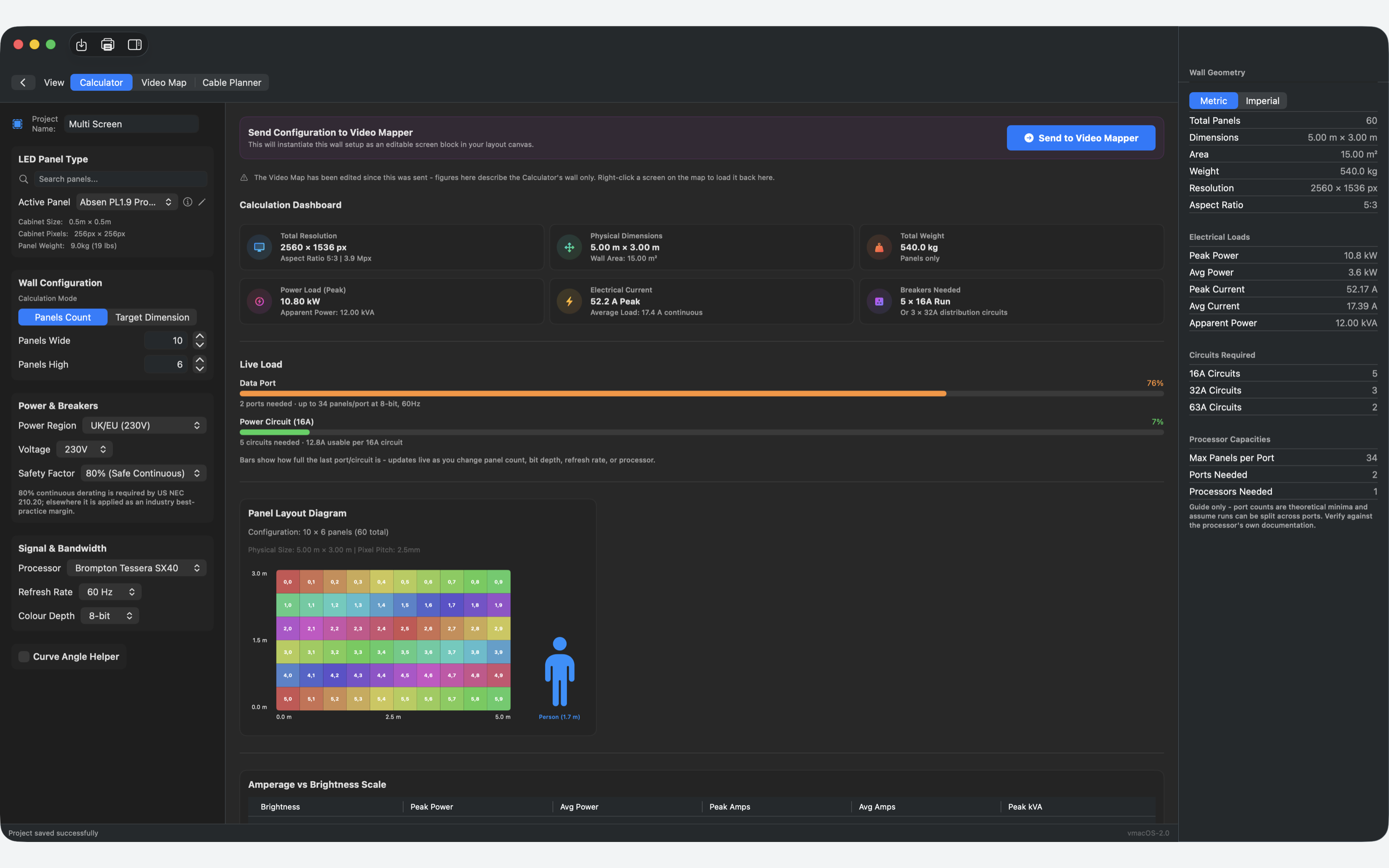
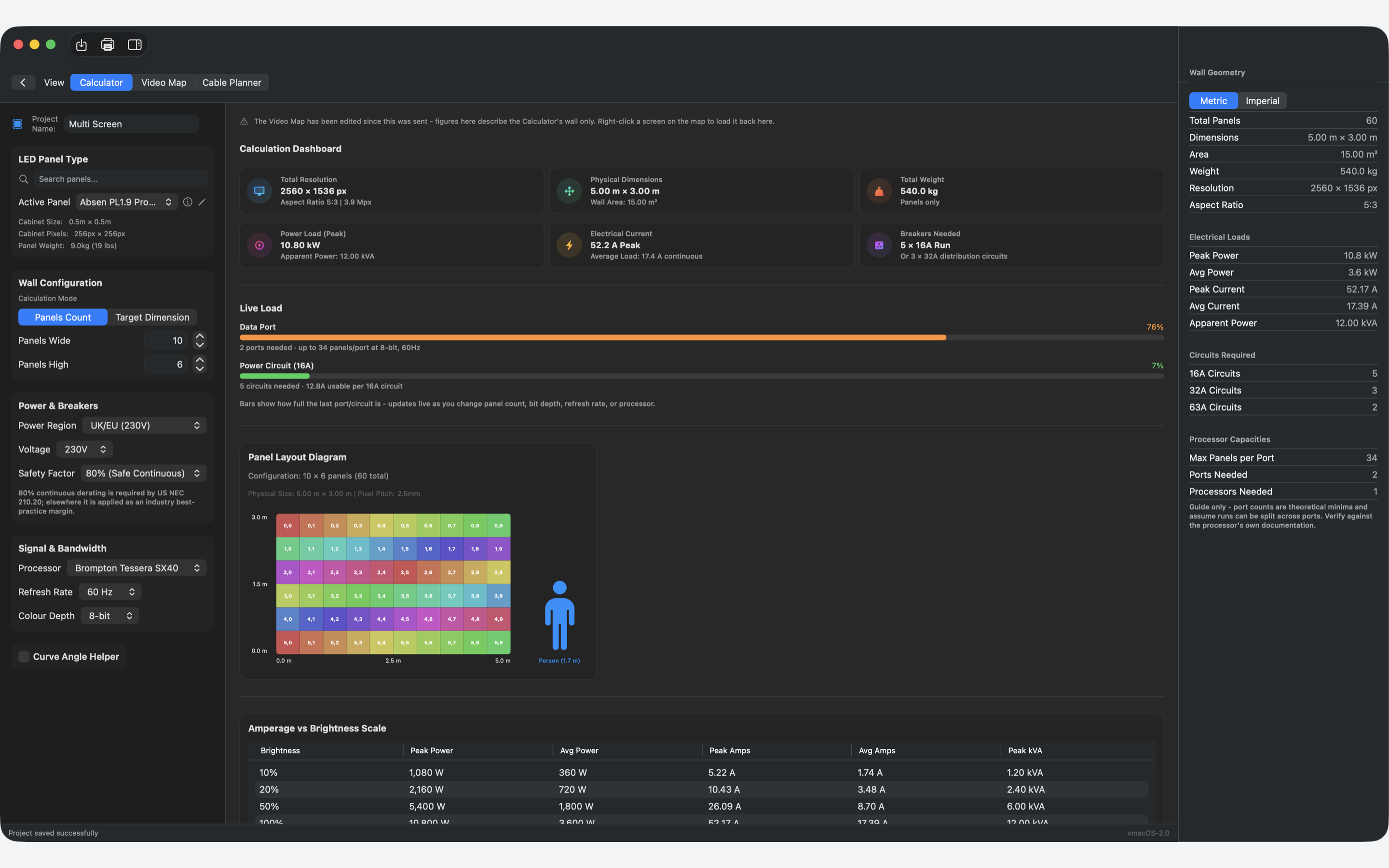
The Pixel Candy Calculator on macOS, showing resolution, weight, power and circuit figures for a ten by six panel wall

Live port and circuit load, updating as you build the wall.

Calculator Video Mapper Cable Planner

Size the wall.

Pick a panel, set it by panel count or by target dimension, and read back resolution, physical size, weight, peak and average power, apparent power, peak current and the circuits your supply region needs.

  • UK/EU, US 120V, US 208V, Japan and Australia
  • Metric or imperial throughout
  • Live port and circuit load bars as you build

Map it to the rig.

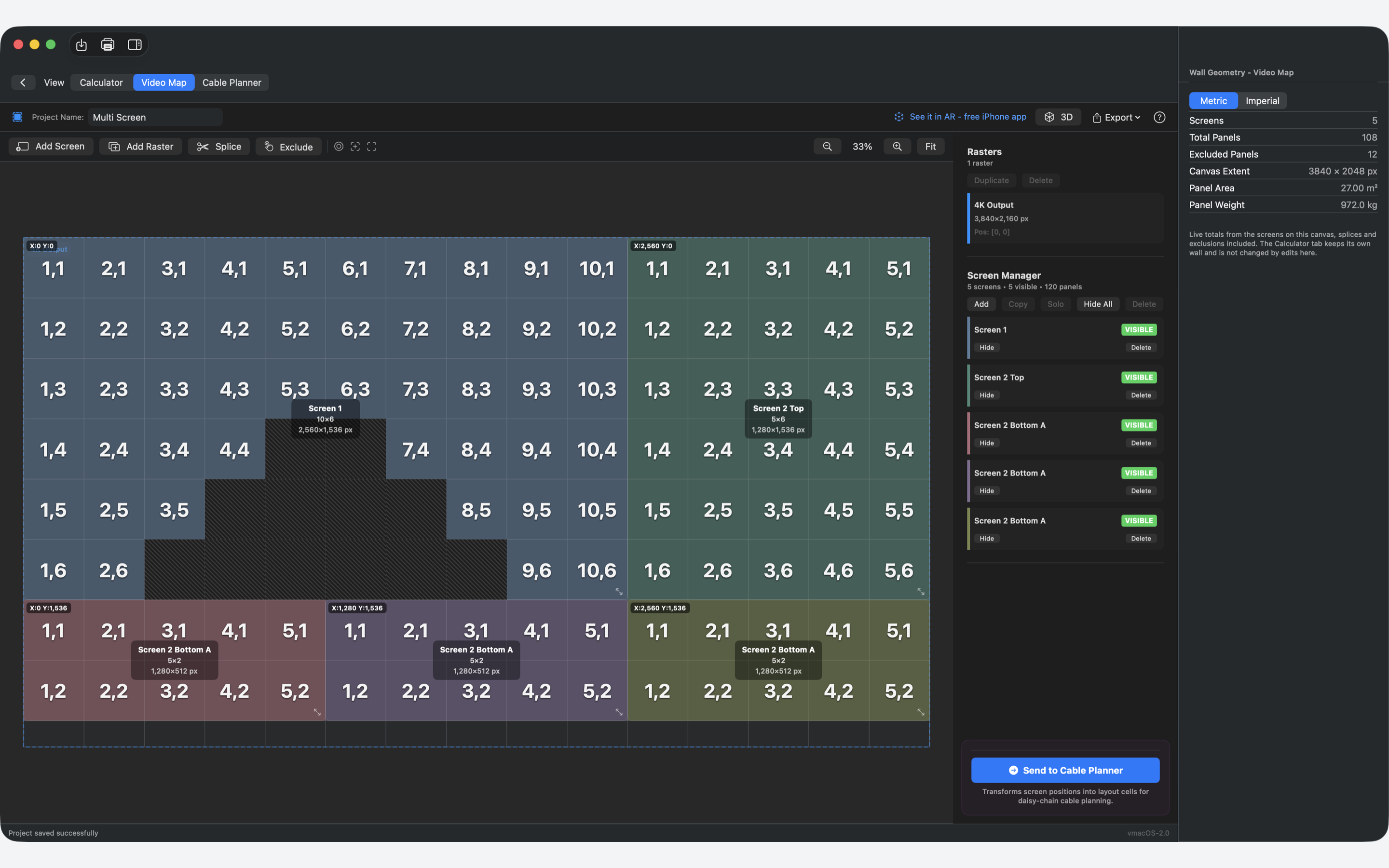
Lay screens on a canvas and map them to processor outputs across multiple rasters. Splice and exclude panels, then export pixel-perfect PNGs of every raster and every screen.

  • Multiple processors, multiple rasters
  • 3D preview on Mac, AR view-in-place on iPhone
  • Second-display test patterns for on-site checks

Cable it, then print it.

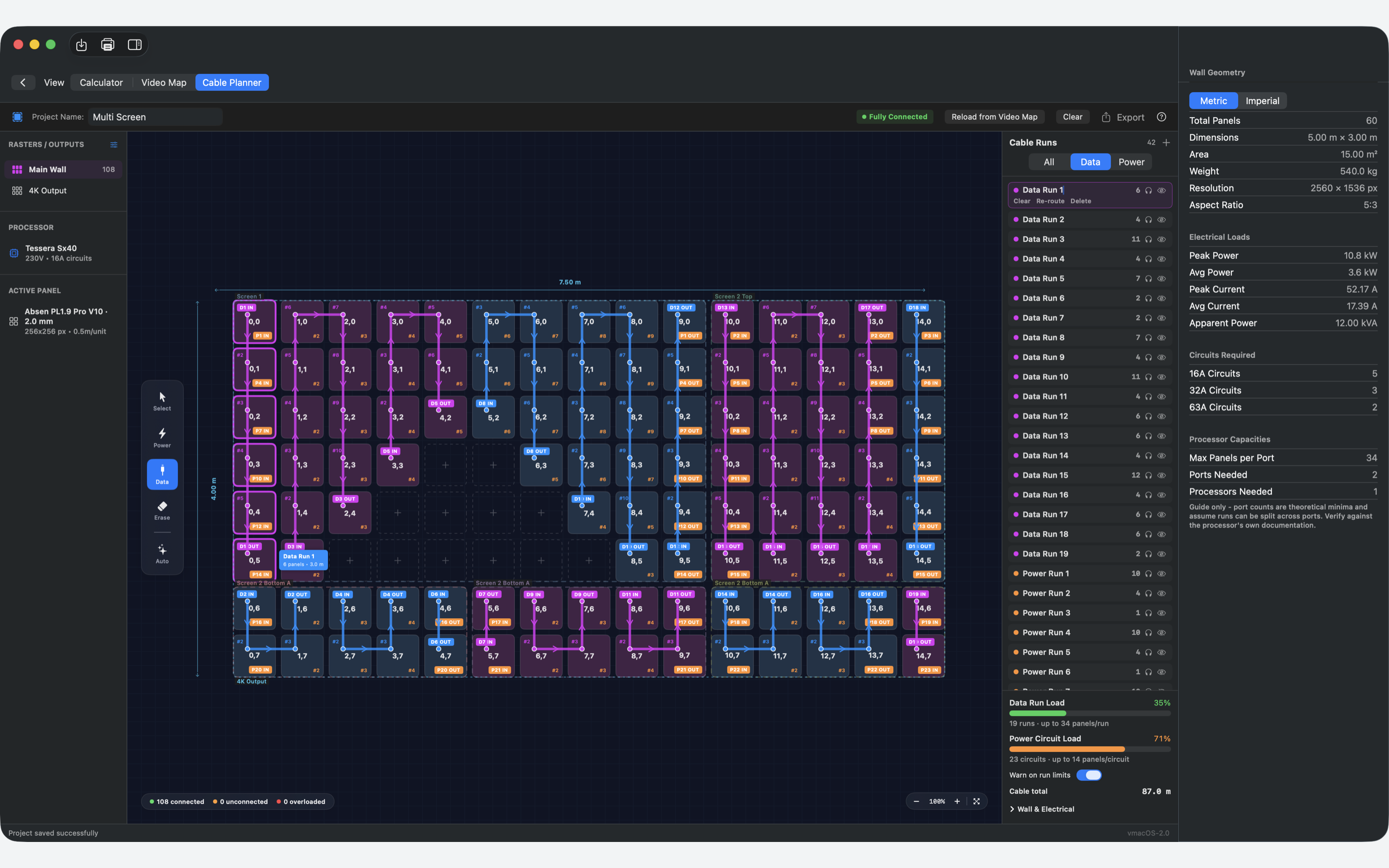
Draw data and power runs by hand or auto-route them, with live per-port and per-circuit feedback. One command prints the job as a Project Pack PDF: spec sheet, wall drawing, raster maps and cable schedules.

  • Your cable runs stay as you drew them
  • Runs that cross between screens are flagged for review
  • Several document themes to suit the job
Calculator dashboard with resolution, dimensions, weight, power load and breakers needed Video Mapper canvas with five screens laid out across a 4K raster Cable Planner showing data and power runs across the wall with live per-port load

Datasheet figures in, load schedule out.

Sixty cabinets at 2.5mm pitch, ten wide by six high, on a UK 230V supply at 80 per cent continuous derating.

Total weight
540.0 kg
Panels only
Peak current
52.2 A
17.4 A continuous average
Circuits
5 x 16A
Or 3 x 32A distribution
Peak power
10.80 kW
12.00 kVA apparent

Port and circuit counts are theoretical minima and assume runs can be split across ports. Pixel Candy informs planning; verify against the processor documentation and on site.

One project, quote to load-in

Planned in the office. On your phone at the venue.

Calculator, Video Mapper and Cable Planner all read the same project. Change the wall in one place and the others pick it up, with a note of what moved. Your cable plan stays as you drew it until you change it yourself.

Projects sync through your own iCloud account, on your Apple ID. There is no Pixel Candy server in the middle holding your work.

A project is a .led file you own. Drag one in from Finder, or AirDrop a whole job to a colleague standing next to you at the venue.

Preview the wall in 3D on the Mac, or stand it up at real scale in the room in AR before anything is hung.
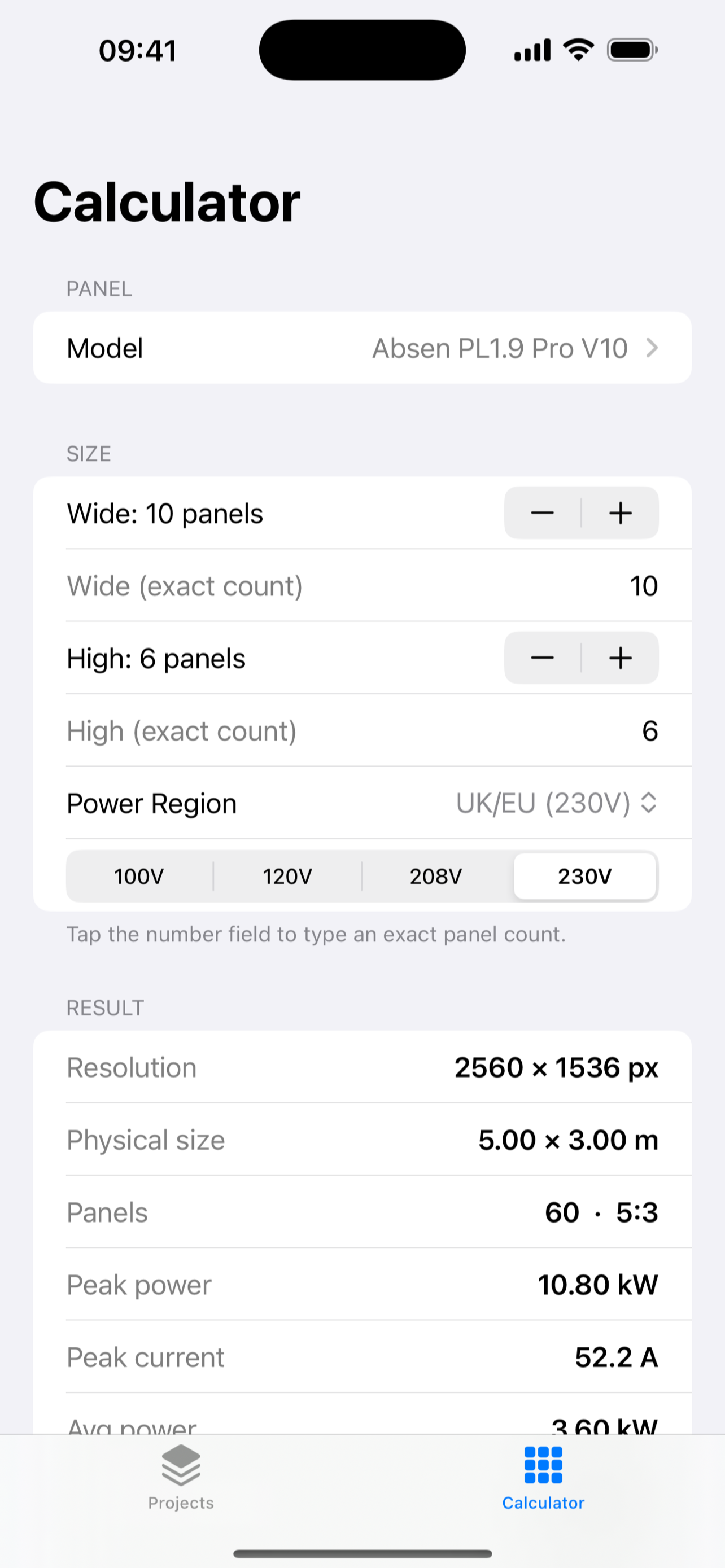
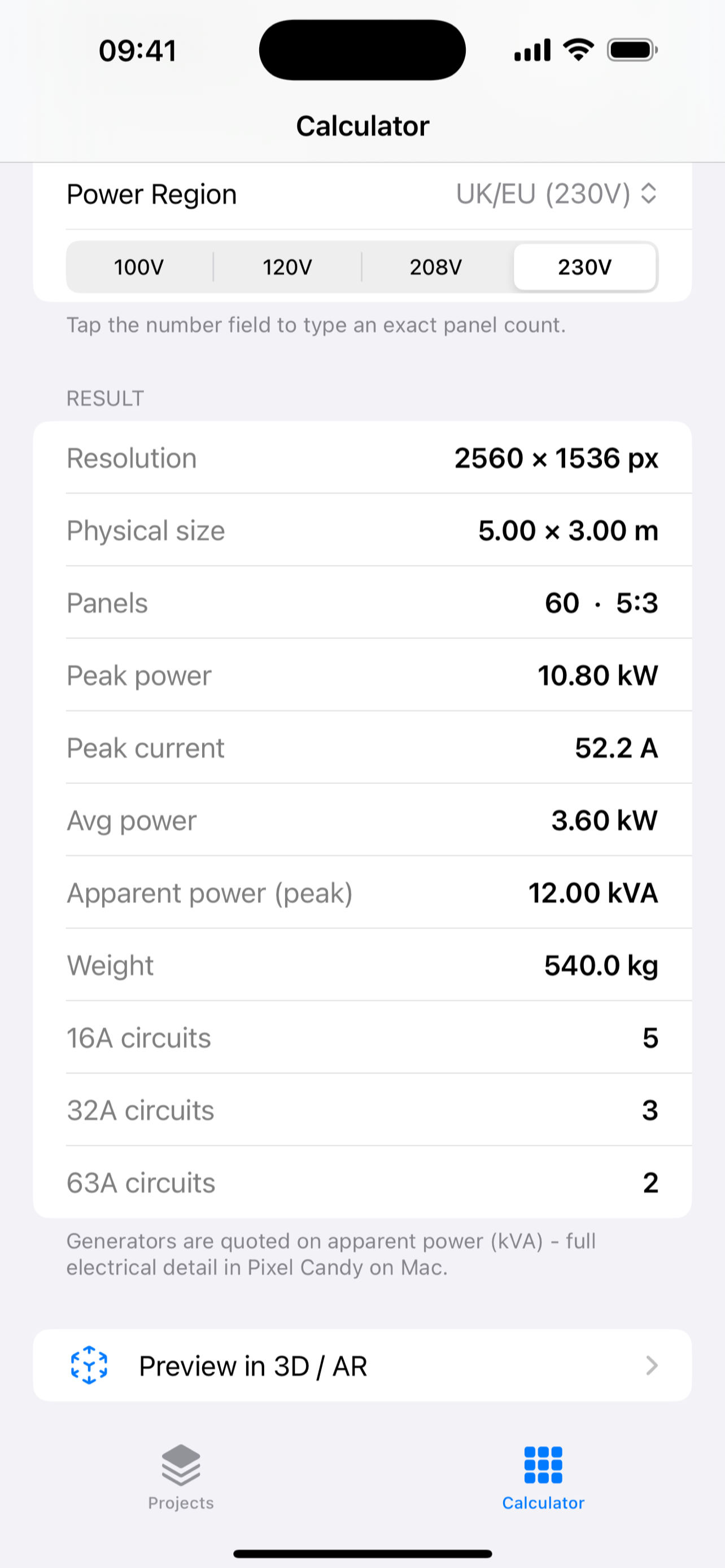
iPhone and iPad companion, free Download now
Pixel Candy Mobile calculator on iPhone Pixel Candy Mobile results screen on iPhone, listing resolution, power, weight and circuits

Same tool, three very different jobs.

Project managers

Quote, document and hand over to a crew you will never stand next to, with exports that agree with each other.

Touring technicians

Multi-screen distribution, redundancy and commissioning at 2am, off paperwork you can actually cable the wall from.

Occasional operators

One wall, one output, no redundancy. A straightforward job stays a straightforward job.

Curated library of professional cabinets from the major manufacturers Custom panel option Five supply regions Pixel-perfect PNG export Project Pack PDF themes Growing every release

Pricing

Subscriptions run through the App Store. No separate account to create - sign-in is your Apple ID.

Free

£0
  • Up to 3 projects
  • One output per project
  • PDF exports with a small Pixel Candy Free mark
  • Full weight, current, circuit and load figures

Pro

£2.99 / month
  • Unlimited projects
  • Multiple outputs per project
  • Unmarked PDF exports
  • Full weight, current, circuit and load figures

Or £24.99 a year. Renews until cancelled in your App Store account settings.

The iPhone and iPad companion is free, with no upgrade prompt in it.

Questions

What do I need to run it?+

macOS 15.0 or later, as a universal binary for Intel and Apple silicon. The companion app needs iOS 17.6 or later.

Where do my projects live?+

In your own iCloud account, and as .led files you can move, back up or AirDrop. Pixel Candy operates no server that stores customer project data.

Is a panel I use in the library?+

The library covers cabinets from the major manufacturers with their datasheet figures, and grows with each release. Anything not in it can be entered as a custom panel.

Can I cancel or get a refund?+

Subscriptions are managed in your App Store account settings; cancel at least 24 hours before the period ends. Refunds are handled by Apple through the App Store.

Does it sign off the rig?+

No. It is a planning aid built on manufacturer data. Rigging is verified and signed off on site, by the people responsible for it.

Plan the next one properly.

Free to start. Weight, current and circuit figures are complete on the free tier.

Download on the Mac App Store Download free iPhone app